Approve, return, sign
Your decision moves the document to the next stage. A clear comment on return saves a second round.
Step by step
- Open the document. On the Route tab you see every stage and who has already acted.
- Approve: Approve, or Approve with remarks to add a note without stopping the route.
- Return: Return → describe in What needs fixing → Return. The author fixes it and sends a new version. Reject stops the document completely (a Reason is required).
- Sign: Sign → choose Internal (PIN + authenticator) or E-IMZO (your qualified key in the E-IMZO app) → enter PIN and code → Sign v1. If the stage requires E-IMZO, Internal is locked.
- Away? Delegate passes one task to a colleague; for vacations set a substitute in Profile & security → My absences.
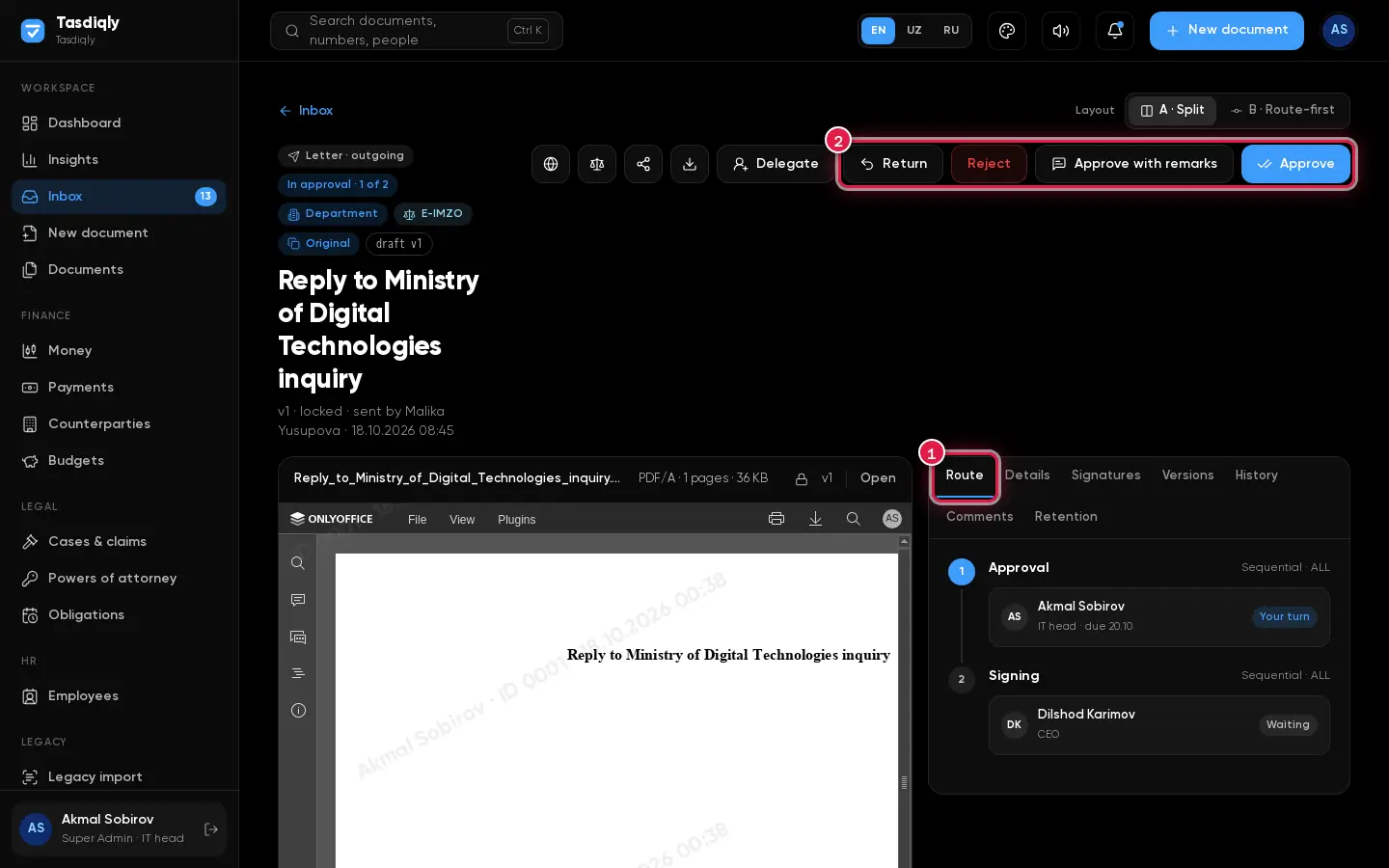
- Route stages
- Approve / Return / Reject
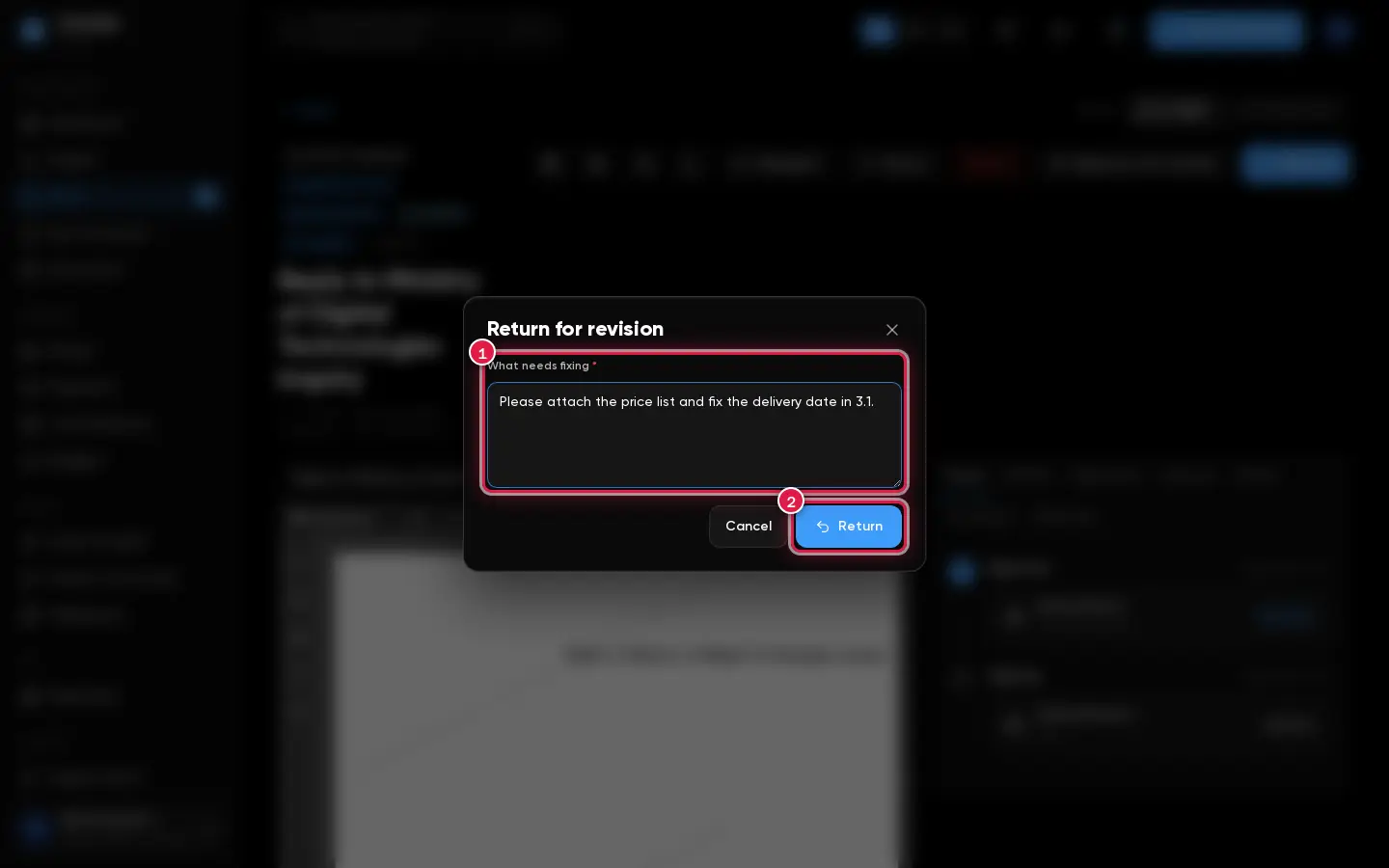
- What needs fixing
- Return
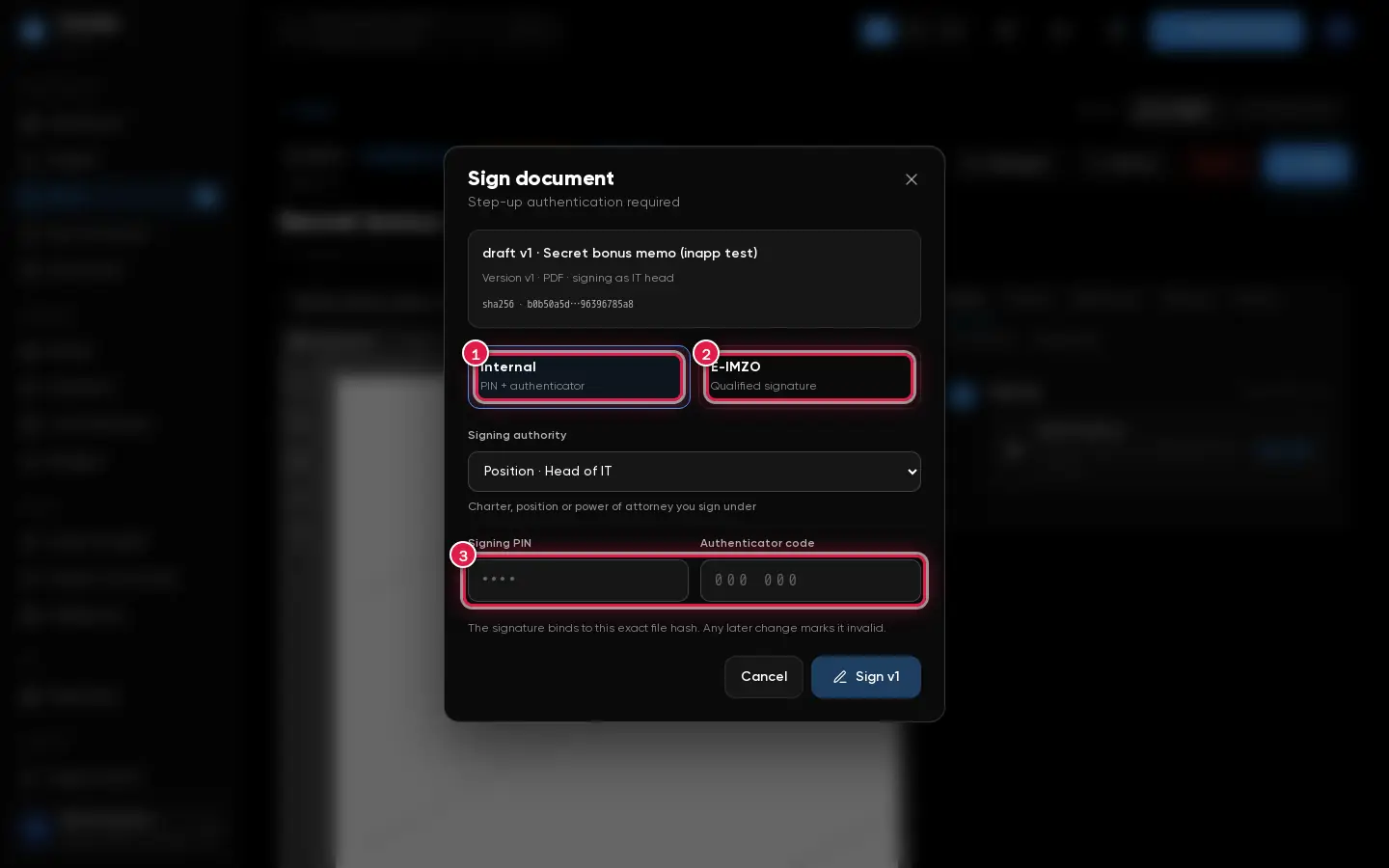
- Internal: PIN + authenticator
- E-IMZO: qualified key
- PIN and code
Common mistakes
- Returning without saying what to fix — the author has to call you anyway.