Outgoing letters and delivery
Outgoing letters are numbered after signing; recording how and when they were delivered protects the organization in disputes.
Step by step
- Letters created in Tasdiqly reach you as a Register task after signing — open the document and press Register.
- A letter signed on paper: Journals → Outgoing → New outgoing, fill Correspondent, Summary, attach the scan.
- Sending type: Paper · offline (add courier / tracking in Delivery note) or Email · scan with Recipient email(s); turn on Send as ZIP with a ZIP password for sensitive letters and tell the password by phone.
- Open the entry later and press Mark delivered when the recipient confirmed receipt.
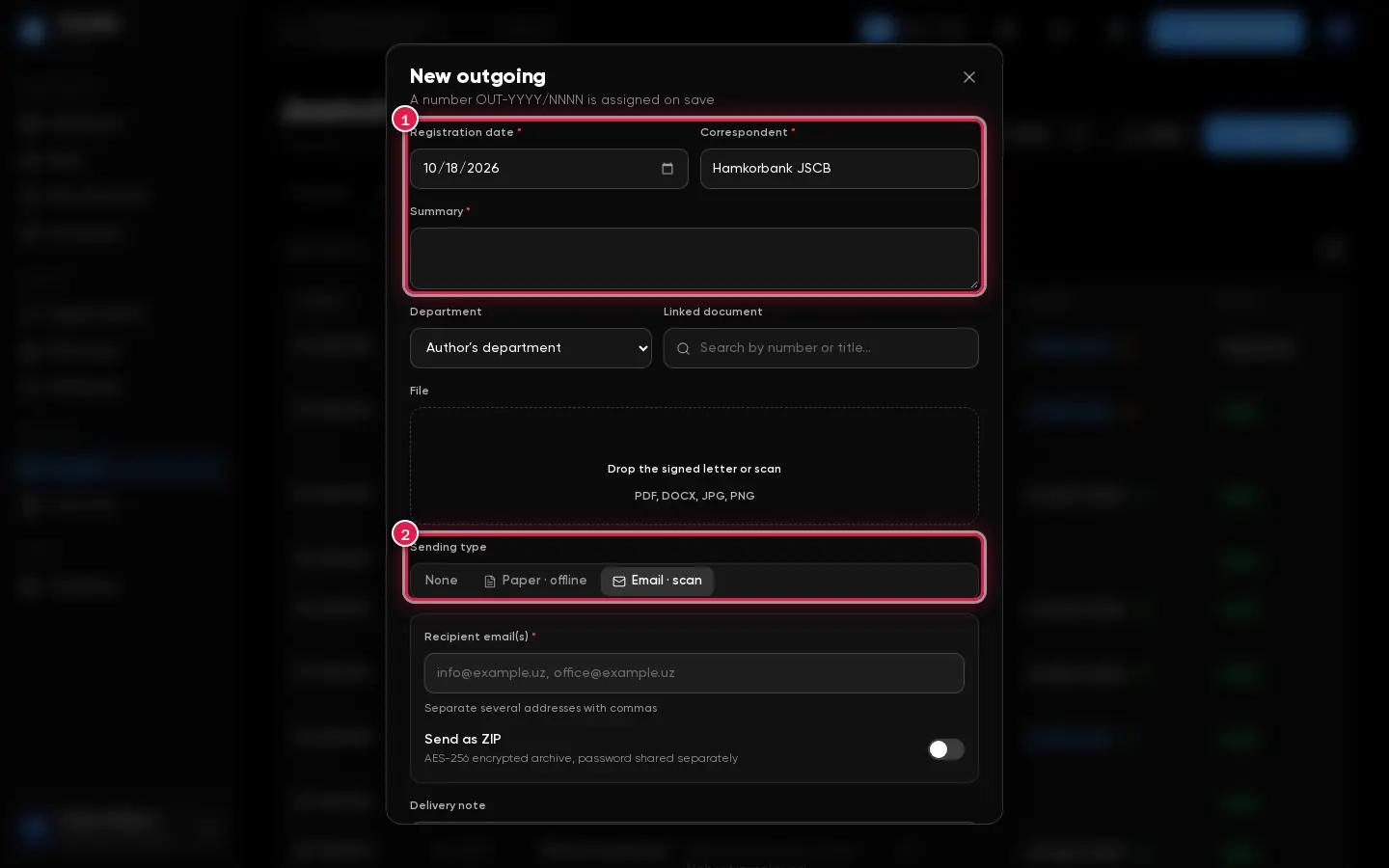
- Correspondent and summary
- Sending type