Registering incoming letters
Every letter that reaches the organization gets a gap-free number, a resolution and an executor with a deadline — nothing is lost and every reply can be traced.
Step by step
- Registry → Journals → Incoming → Register incoming (or the same button on the dashboard).
- Fill Received date, Correspondent (who sent it), Summary, Resolution (e.g. "Prepare a reply by Friday"), the Executor and the Execution deadline; drop the scan into Scan or file.
- Press Register: the letter gets IN-YYYY/NNNN and the executor receives a task in Inbox → Tasks.
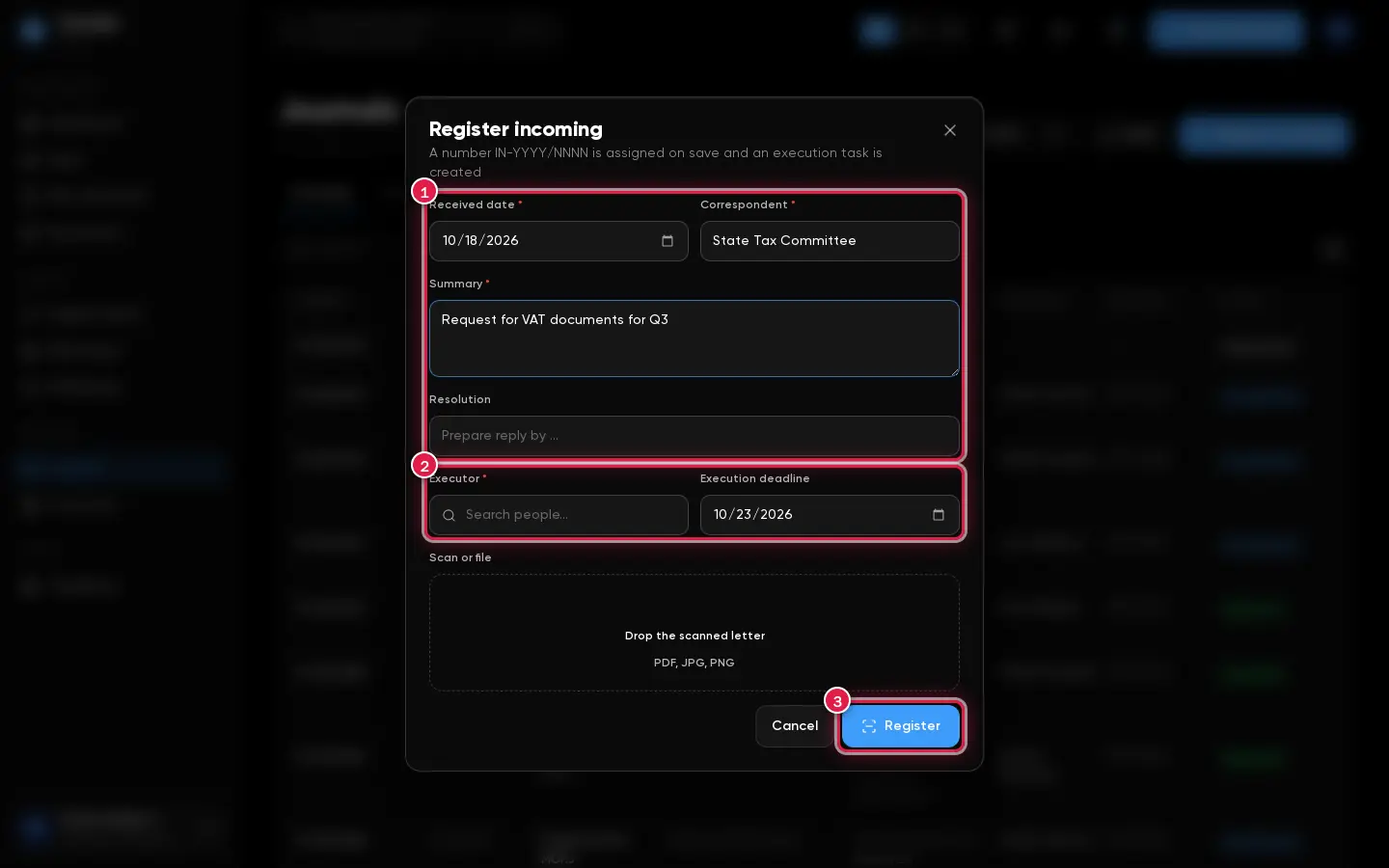
- Correspondent, summary, resolution
- Executor and deadline
- Register
Common mistakes
- Registering the same letter twice (paper and e-mail copy). Search the journal by correspondent first.