Routes, authority matrix and substitutes
A route is the path of a document: who approves, who signs, who acknowledges and who registers it — in order or in parallel, with deadlines. The authority matrix adds stages automatically (e.g. contracts over 500 million also go to the CEO with E-IMZO). Substitutes keep documents moving while people are away.
Step by step
- Open Setup → Routes. Standard routes for each document type already exist — open one to adapt it, or press New route.
- Click the name to rename it, then Add stage. For each stage pick the type: Approval, Legal review, Signing, Acknowledge, Register or Execution; choose Sequential or Parallel, the completion rule (ALL — everyone, ANY — the first one, N_OF_M, HEAD_ONLY) and the deadline in business days.
- Add participants from the right panel: Users, Depts (a department resolves to its people when the stage starts; Author department = the author’s own), Positions or Groups.
- Press Simulate to see who would receive the document, then Save route. Attach the route to a template (Default route tab) or a document type.
- Authority matrix: Routes → Authority matrix → New rule. Give a Rule name, choose document types, an amount band (Amount from (≥), Amount up to (<)), the Signature requirement and the stages to append. Check it with Test rule → Evaluate.
- Substitutes: every user sets them in Profile & security → My absences → Add absence (Substitute, From, To, Reason). New tasks then go to the substitute and pending ones are redirected.
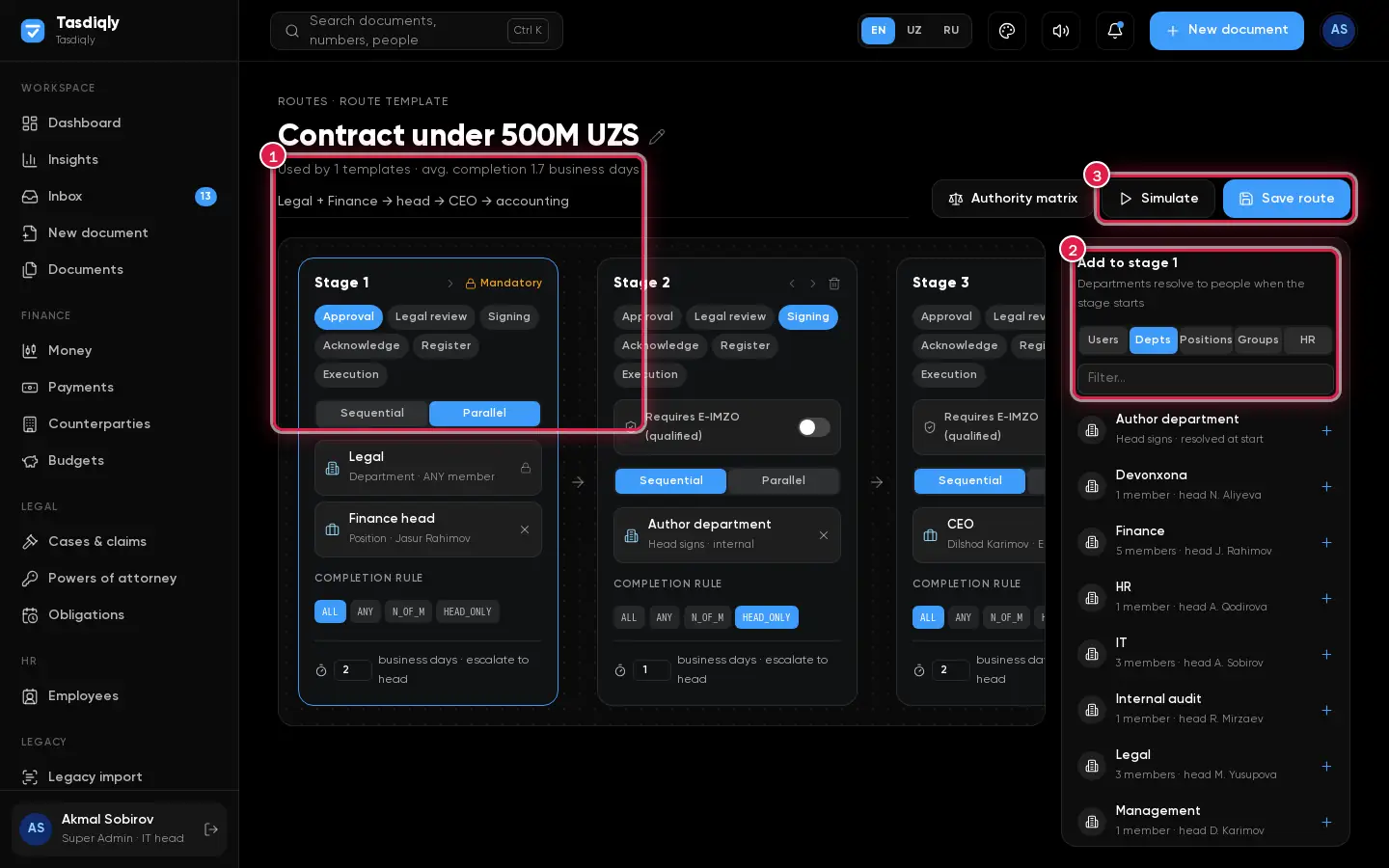
- A stage: type, mode, rule, deadline
- Participants panel
- Simulate and Save route
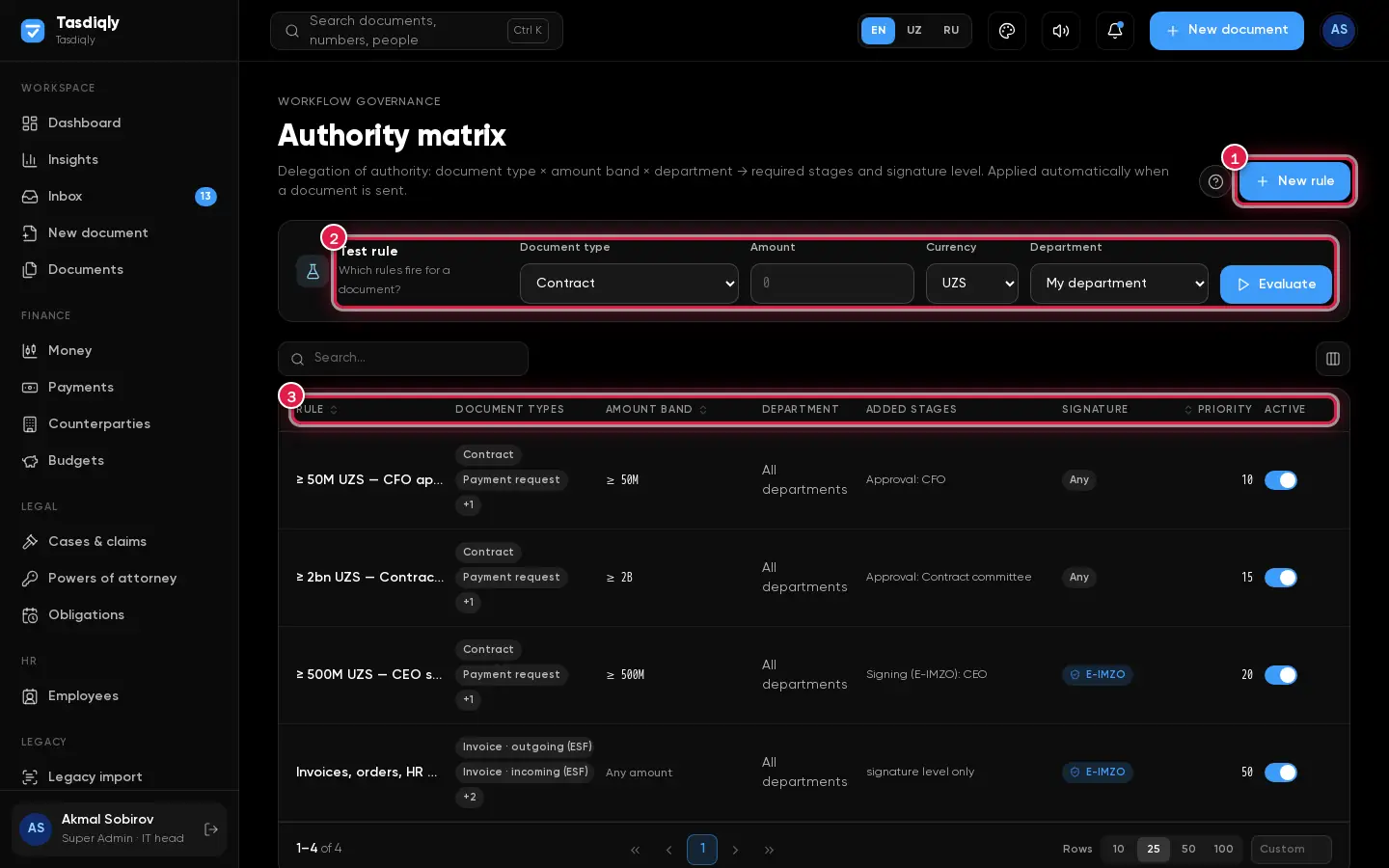
- New rule
- Test which rules fire
- Rules
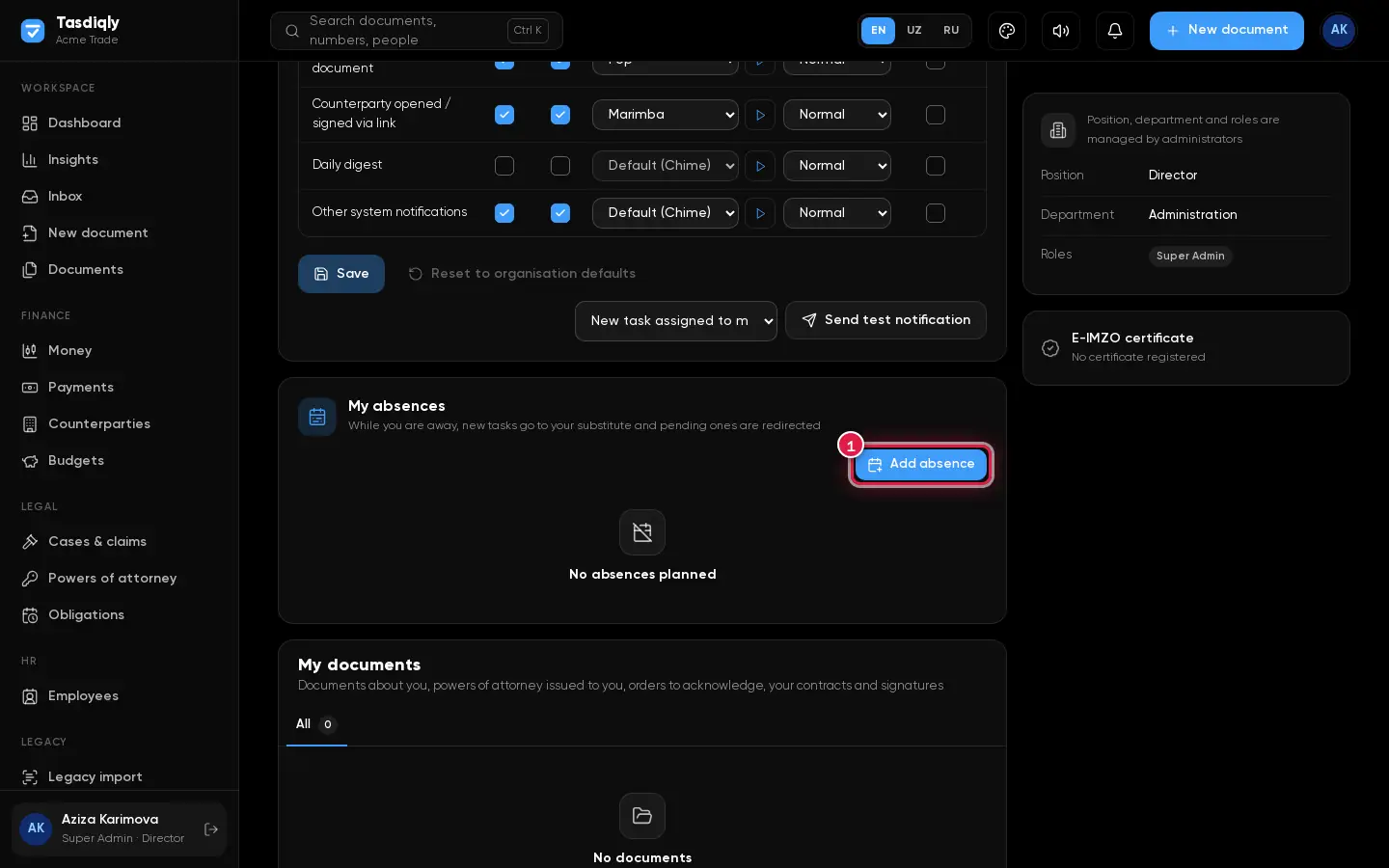
- Add absence
Common mistakes
- Putting one person both in approval and signing — they approve their own signature. Keep the four-eyes principle.
- Using ALL for a big department — one absent person blocks everything. Use ANY or HEAD_ONLY.
- Forgetting the Register stage on outgoing letters and orders — they never get a number.