Journals and numbering
Registry journals (incoming, outgoing, internal, orders) are your official record. Numbers are gap-free and assigned only at registration, so they can be shown to auditors and courts. Agree the numbering format before the first real document.
Step by step
- Open Registry → Journals. Tabs: Incoming, Outgoing, Internal, Orders.
- Numbering per type: Admin → Document types → type → Number prefix (e.g.
BUYfor orders). Per template: template → Numbering → Number pattern, e.g.{TYPE}-{YYYY}/{NNNN}; the Example shows the result. - Register a test incoming letter (see the registrar track): Register incoming → fill → Register. It gets IN-YYYY/NNNN and an execution task for the executor.
- Export any journal with XLSX for the yearly nomenclature.
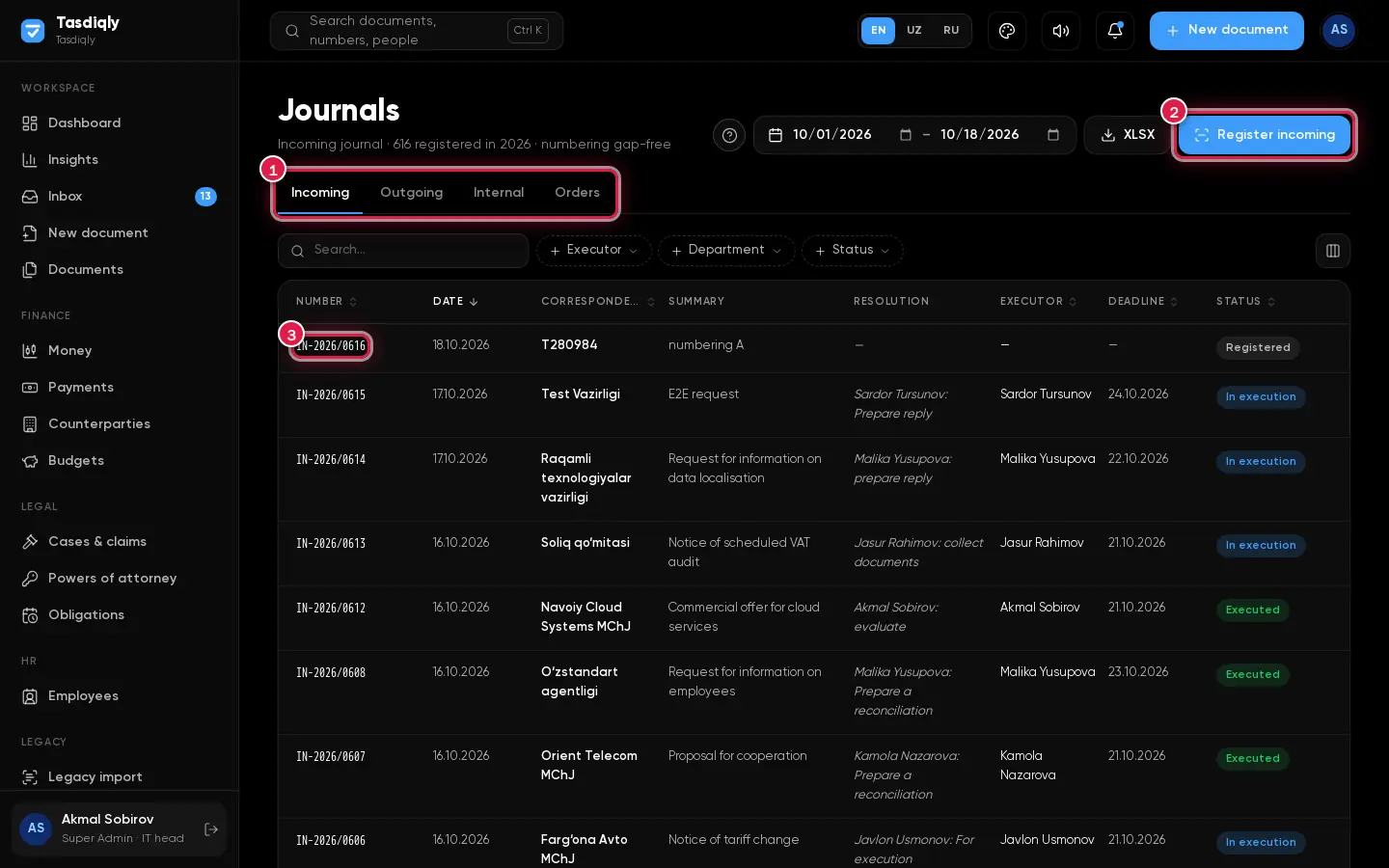
- Journal tabs
- Register incoming
- Gap-free numbers
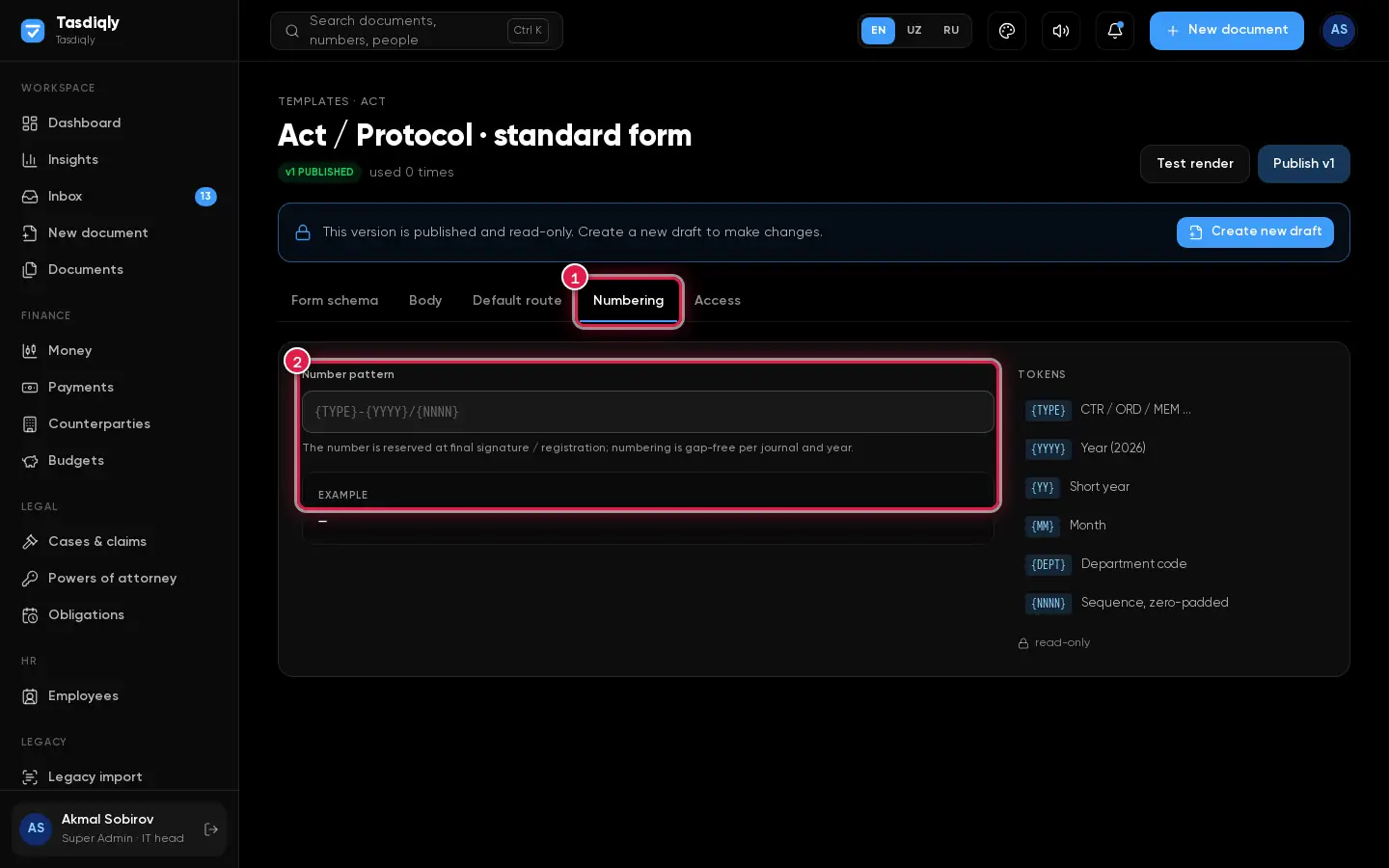
- Numbering tab
- Number pattern and example
Common mistakes
- Registering test documents in the real journal and then asking to "delete the number" — numbers are never reused. Test with a clearly named document and keep it.