Departments and positions
Routes send documents to departments and their heads ("Legal department", "Head of the author’s department"), document access defaults to the author’s department, and internal letters are numbered per department code. Without a correct structure, documents go to the wrong people.
Step by step
- Open Admin → Departments. An "Administration" department was created together with your organization — rename or keep it.
- Press Add department. Enter Name (e.g. "Legal department") and a short Code in Latin letters (e.g.
LEG) — it becomes part of internal numbers like INT-LEG-2026/0001. - Choose Parent for sub-departments (or — Top level —), pick the Head and press Save. The head receives "head only" approvals and escalations.
- Positions: each user has a Position field (Users → user → Profile). Fill it for everyone — it is printed under signatures and used in routes.
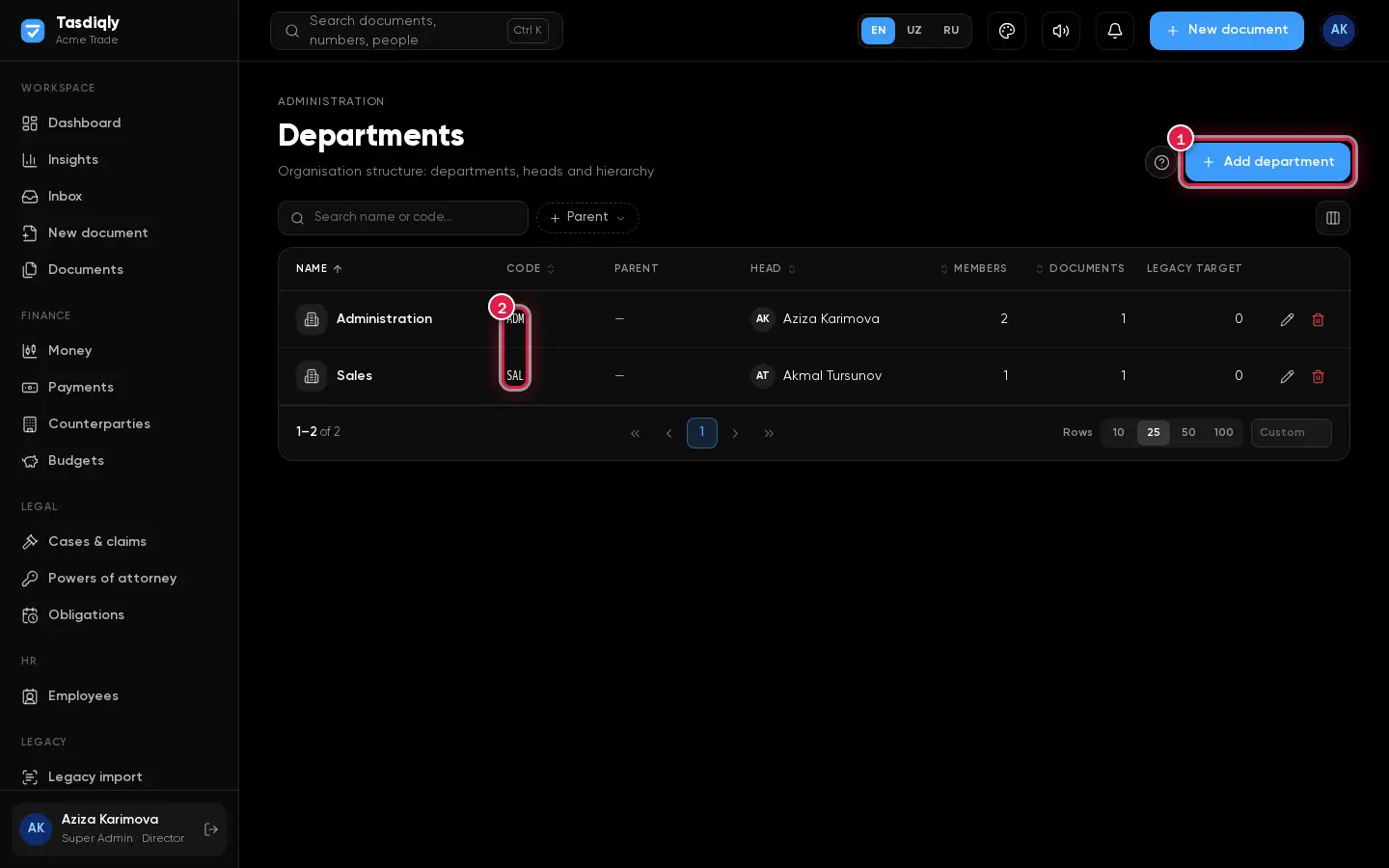
- Add department
- Code and head of each department
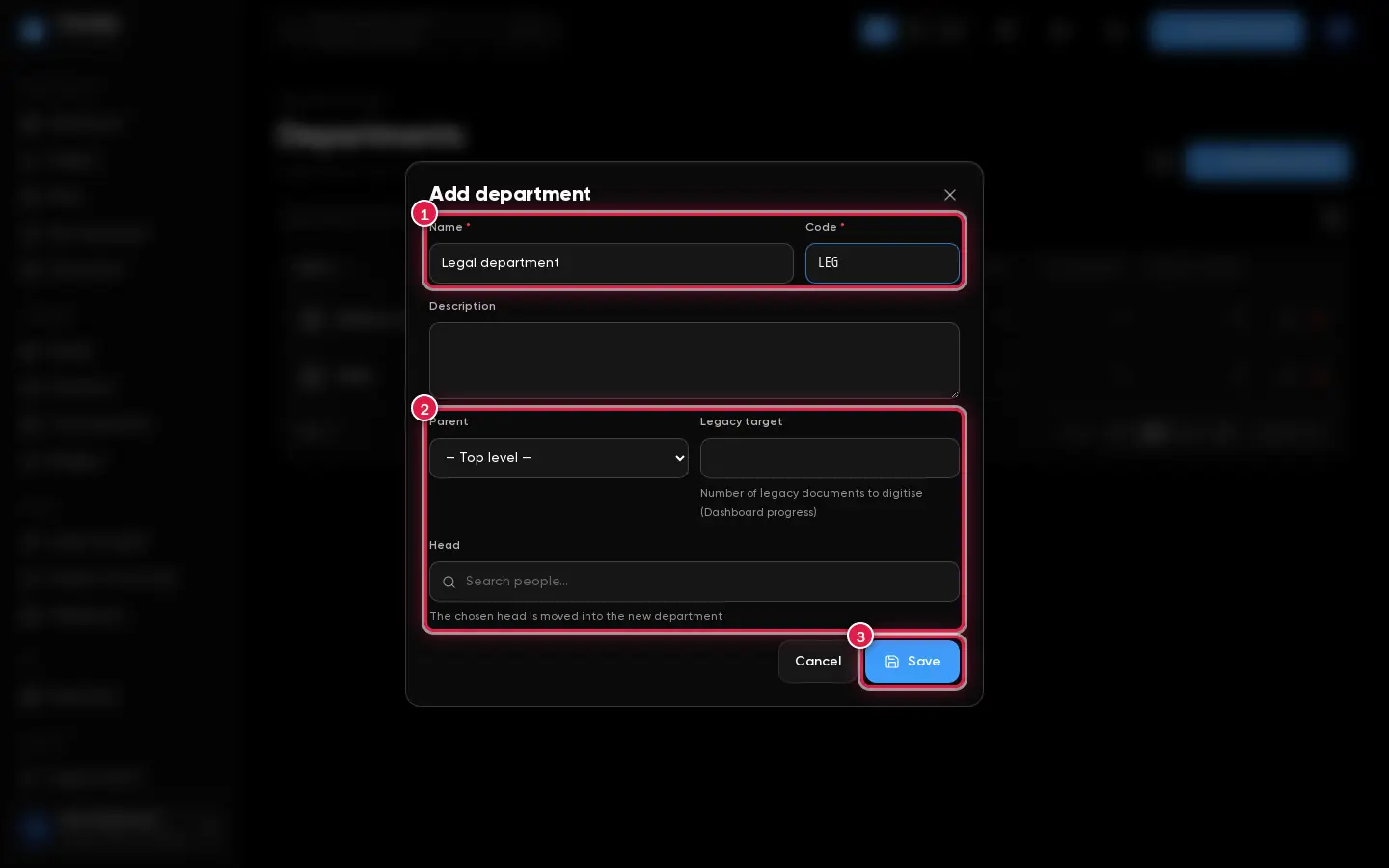
- Name and code
- Parent and head
- Save
Common mistakes
- Changing a department code after documents were numbered — old numbers stay, new ones change; agree codes first.
- Leaving a department without a head — "head only" stages then have nobody to go to.