Plan and usage limits
Your plan sets how many users, documents, departments, templates and how much storage you can use, and which modules (E-IMZO, Telegram, finance, legal, HR, legacy import, insights) are included. When a limit is reached, creation stops with a message — know your headroom before a busy month.
Step by step
- Open Admin → Plan & usage. Plan shows your plan, Trial ends / Paid until.
- Usage shows each limit with a bar; Included features lists the modules of your plan. Menus of modules outside the plan are hidden.
- Domains shows your addresses and their DNS / certificate status. Need more? Contact the Tasdiqly team to change the plan. Then press Mark as done here.
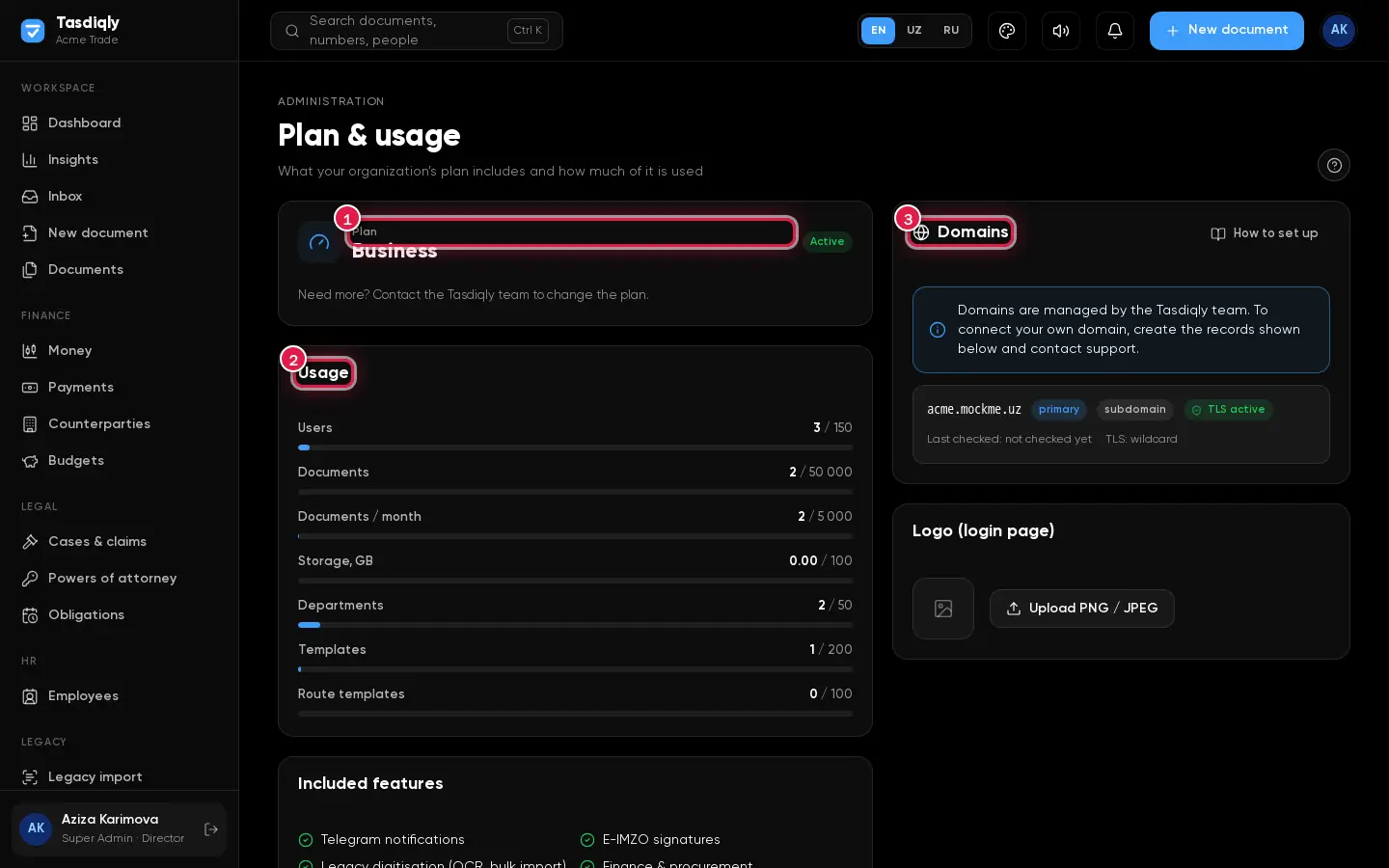
- Plan
- Usage against limits
- Your addresses
Common mistakes
- Discovering the user limit while onboarding a whole department — check Usage first and ask for an upgrade in advance.