Document types
Tasdiqly ships a catalogue of document types (letters, orders, contracts, acts, invoices, HR orders…). Your plan decides which are available; here you decide which your people actually use, which require a qualified E-IMZO signature, which decisions are allowed at each stage and how they are numbered.
Step by step
- Open Admin → Document types. Each row shows Enabled / Disabled, an
E-IMZObadge and the default route. - Click a type. In General switch off types you don’t use (they disappear from the new-document wizard; existing documents stay), set Number prefix, Retention (years) and Default deadline (days).
- In Signing turn on Qualified E-IMZO signature required for documents that leave the company or have legal force (orders, contracts, outgoing letters). Internal memos can stay on the internal signature (PIN + authenticator).
- In Route pick the Default route and decide whether Authors may edit the route. In Decisions tick which decisions each stage offers (e.g. allow Approve with remarks, require a comment for Reject).
- Press Save and confirm with PIN + code.
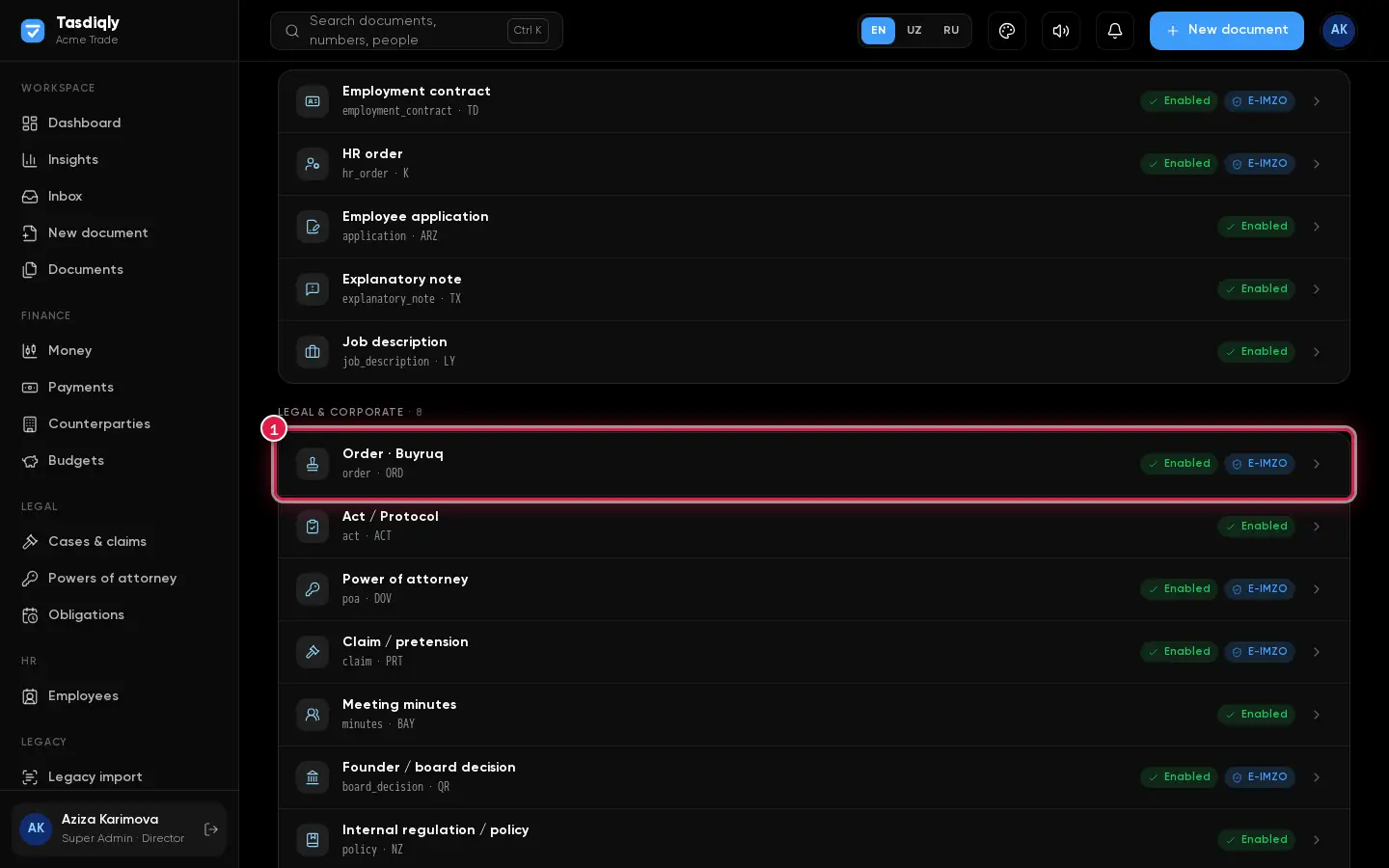
- A type: status, E-IMZO, default route
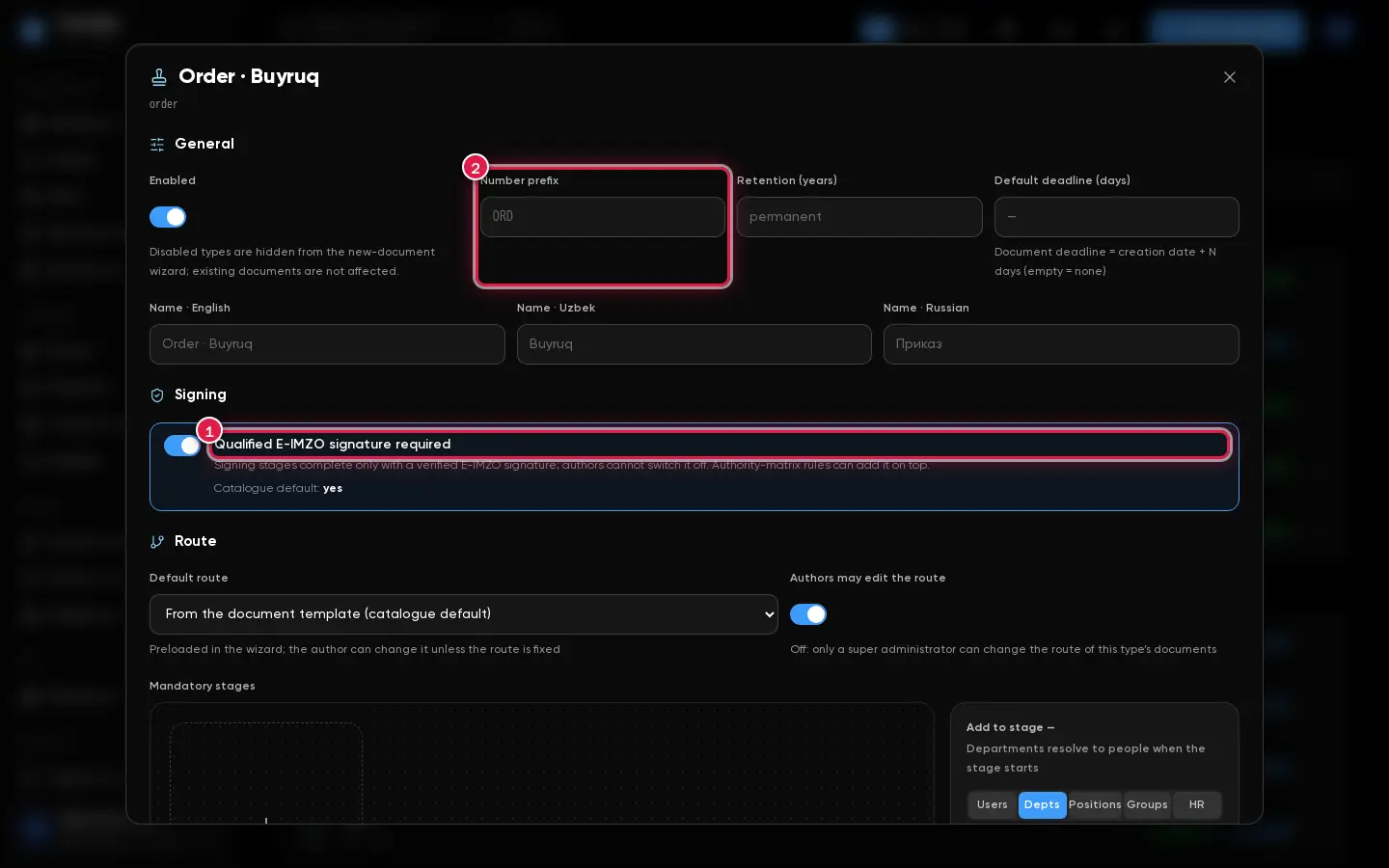
- Qualified E-IMZO signature required
- Number prefix
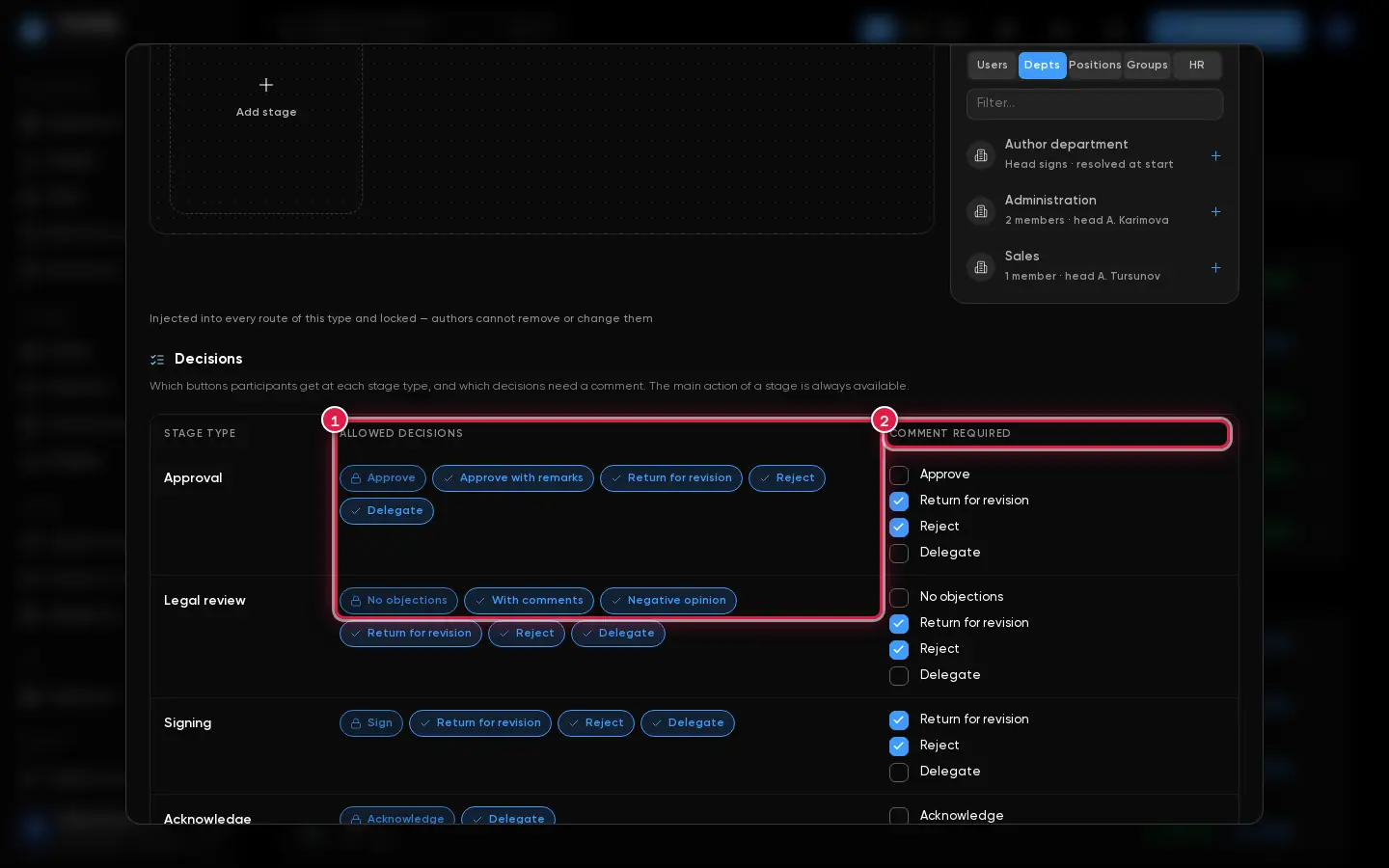
- Allowed decisions per stage type
- Decisions that need a comment
Common mistakes
- Requiring E-IMZO for a type when signers have no E-IMZO key yet — documents get stuck at signing. Issue keys first.
- Switching off a type that a template or route still uses.